
Your support agent answers the same order question on WhatsApp that someone already answered on Instagram. Meanwhile, a customer waits on Messenger while your fulfillment team has the tracking number sitting in a spreadsheet. Every handoff between channels and departments leaks time, and customers feel it.
This guide shows you how to build a shared inbox workflow, assign clear conversation ownership, and connect sales, support, and fulfillment around one source of truth. You will also learn which metrics keep collaboration from slipping and how a unified platform like Com.bot fits into that setup.
Why Team Collaboration Breaks Down in Ecommerce
Ecommerce teams often struggle with collaboration because customer interactions, order data, and inventory updates live in disconnected systems, forcing employees to toggle between apps and lose context. Marketing, sales, support, and fulfillment each operate in their own lane, and each lane usually comes with its own set of tools.
Without a unified approach, information gets trapped in silos. A support agent may not see a stockout that fulfillment already knows about, and a marketer may not hear about a shipping delay until customers start complaining. The result is predictable: delays, duplicated work, and errors that customers feel directly.
This section breaks down where collaboration typically fails and what those failures cost an ecommerce store.
Common Pain Points: Siloed Channels and Scattered Conversations
When customer inquiries arrive via email, social media, and live chat separately, support agents waste time searching for context and may miss urgent requests entirely. A shopper asking about an order on Instagram might get a reply hours later because the fulfillment team only monitors email.
Several patterns show up again and again in online retail:
- Fragmented conversations spread across WhatsApp, Instagram, email, and live chat, with no single thread of truth for any customer.
- Duplicate responses when two agents answer the same question because neither can see the other's reply.
- Lost order details when a customer references an order number in one channel but the agent is working from another.
- No visibility into ownership, so nobody is sure who is handling what, and tasks quietly fall through the cracks.
These silos stretch response times and frustrate customers. They also create friction inside the cross-functional team, where people start blaming each other instead of the workflow. A shared inbox or unified support view solves part of the problem, but only when task assignment and escalation rules are clear to everyone.
What Poor Collaboration Costs Your Store
Inefficient collaboration directly impacts your bottom line through abandoned carts, negative reviews, and higher support costs, often without you realizing the root cause. Slow first responses tend to correlate with lower conversion rates and weaker customer experience scores.
Consider a typical scenario. A customer emails about a delayed order. The support agent checks one system, sees nothing unusual, and promises a delivery date. Meanwhile, the fulfillment team has already flagged the shipment as stuck but never updated the shared record. The customer waits, hears nothing, and files a chargeback. The store absorbs the refund, the payment dispute fee, and a one-star review.
Internal miscommunication also drives more mundane losses:
- Fulfillment errors from outdated inventory management data, leading to returns and refunds.
- Duplicate or contradictory replies that erode brand consistency.
- Marketing campaigns promoting items that are out of stock or already discounted elsewhere.
- Support agents spending time hunting for information instead of resolving issues.
These costs compound as the store scales. More orders, more channels, and more team members multiply every handoff gap. A feedback loop that tracks performance metrics like response time, resolution rate, and return reasons helps leaders spot where collaboration is failing before the damage shows up in revenue.
Building a Shared Inbox Workflow for Customer Conversations
A shared inbox centralizes all customer messages from multiple channels into one interface, allowing your team to collaborate on responses without losing track of who is handling what. Instead of juggling separate logins for email, chat, and social messages, everyone works from the same queue.
This single view matters for an ecommerce store because customer questions rarely arrive through one door. A shopper might ask about sizing on Instagram, follow up by email, and then message again about delivery. When those threads live in different tools, context gets lost and customers repeat themselves.
A shared inbox solves that by giving the team one place to see, assign, and resolve every conversation. Three capabilities do most of the work: assignment, so each message has an owner; tagging, so issues are categorized consistently; and internal notes, so colleagues can add context the customer never sees.
These three building blocks also connect directly to the rest of your operation. A tagged refund request can feed into order fulfillment reporting, and a note about a stock issue links customer support to inventory management. The sections below walk through each one in practice.
Assigning Conversations and Setting Response Ownership
Without clear ownership, messages can sit unanswered for hours; assigning each conversation to a specific agent ensures accountability and faster resolutions. The goal is simple: every open conversation should have exactly one person responsible for the next reply.
Most teams choose one of three assignment methods, or blend them as volume grows.
- Round-robin: new conversations rotate evenly across available agents. Fair and simple, but it ignores expertise.
- Skill-based routing: messages go to agents based on topic, language, or product line. Better for stores with technical or international customers.
- Manual assignment: a team lead or senior agent triages the queue each morning. Useful for small teams or high-value inquiries.
Pair assignment with clear response expectations. Many support teams aim for a first reply within 15 minutes during business hours, with a longer window overnight. What matters is that the target is written down and visible, not that it matches another store's number.
Statuses keep ownership honest. Use open for conversations awaiting a reply, pending for ones waiting on the customer, and resolved once the issue is closed. A daily sweep of anything stuck in open past its target catches problems early.
Here is how this plays out in practice. A WhatsApp inquiry arrives about a missing order confirmation. The queue assigns it to a support agent, who sets the status to open and sends a first reply within the target window. The agent checks the order, confirms the email address on file, and marks the conversation pending while waiting for the customer to confirm. When the customer replies, the agent resolves the thread and logs the cause in a note.
Finally, define escalation paths before you need them. Complex issues like payment disputes, damaged shipments, or legal questions should route to a named person or team, with a clear trigger for handing off. An agent who knows exactly when to escalate does not stall a conversation trying to solve something outside their scope.
Using Tags, Notes, and Internal Handoffs Effectively
Tags and internal notes turn a shared inbox into a knowledge hub, letting agents categorize issues (e.g., 'refund', 'shipping delay') and leave context for colleagues who pick up the conversation later. The value depends on consistency, so build a small taxonomy and stick to it.
Start with categories that match how your store actually operates. A workable starter set might include:
- Order issues: refund, return, shipping delay, wrong item
- Product questions: sizing, compatibility, restock request
- Sales opportunities: wholesale, bulk order, partnership
- Escalation: payment dispute, damaged goods, chargeback risk
Resist the urge to create dozens of tags. A short list that everyone understands beats a sprawling one that nobody uses the same way. Review the taxonomy quarterly and retire tags that no longer match your sales funnel or product catalog.
Internal notes handle the context that should never reach the customer. Suppose an agent needs to confirm stock before promising a replacement. They can leave a note asking a fulfillment team member to check availability, and the customer sees none of that back-and-forth. When the answer comes back, the agent replies with confidence instead of a guess.
Handoffs need their own protocol to avoid duplicate work. When reassigning, summarize the issue in two or three lines: what the customer wants, what has been tried, and what happens next. Reassign only when the conversation genuinely belongs to another person or team, not to share the load.
Consider a customer asking about a bulk order for a company event. The agent tags the conversation wholesale, notes the quantity and deadline the customer mentioned, and hands it to the sales team with a short summary. Sales picks up with full context, the customer never repeats the request, and the support agent returns to the general queue. That is the pattern to aim for across every handoff: tag, note, summarize, reassign.
Connecting Sales, Support, and Fulfillment Teams
In ecommerce, a single order touches sales (who closed it), support (who answers questions), and fulfillment (who ships it), yet these teams often operate in isolation. Each group works from its own tools, its own notes, and its own version of the truth about a given order.
That separation creates friction. Support staff interrupt fulfillment to ask whether a package left the warehouse. Sales teams promise delivery timelines they cannot verify. Customers repeat themselves to whoever answers next.
Cross-departmental visibility solves most of this. When teams share a platform, they can see order status, payment confirmation, and customer history in one place, which cuts the back-and-forth that eats into response times. A support agent no longer needs to ping three colleagues before answering a simple question about a delayed shipment.
The goal is not constant communication. It is shared context, so each team can act on the same information without asking for it.
Order Updates and Payment Coordination Across Departments
A customer who pays via WhatsApp expects immediate confirmation, but if the payment team and fulfillment team aren't synced, shipping delays and support tickets pile up. The fix is a workflow where each step triggers the next automatically.
Consider a concrete sequence. A customer pays through a native payment link. The system marks the order as paid and immediately creates a fulfillment task to ship it. Support sees the same status change in real time, so an agent can message the customer with a tracking update before anyone asks.
This kind of coordination depends on a few practical building blocks:
- Automatic payment confirmation that flows directly into the order record, not a separate spreadsheet
- Fulfillment status updates visible to support the moment they happen
- Real-time inventory checks at the point of sale to prevent overselling
- Shared customer history so any team member can see what was promised and when
Real-time inventory checks matter more than they appear. Overselling forces a refund, an apology, and often a lost customer, all because two systems disagreed about stock levels.
Proactive updates also change the tone of support. When an agent reaches out with shipping news before the customer complains, the conversation shifts from damage control to service. That single habit reduces ticket volume and builds trust at the same time.
Automating Routine Handoffs So People Focus on Exceptions
Automation can handle repetitive handoffs, like sending order confirmations or routing refund requests, so your team can concentrate on complex, high-value interactions. The handoffs worth automating are usually obvious once you look for them.
Common candidates include:
- Order status changes that should notify support, sales, or the customer without manual input
- Return requests that need to reach the right queue with the order details attached
- Address updates that must sync to fulfillment before a label is printed
- Refund conversations that should create a task for the finance team the moment a chat is tagged "refund"
Setting up triggers and actions is straightforward in most platforms. You define the event (a tag applied, a status changed, a form submitted) and the response (create a task, send a notification, update a record). The system handles the rest, every time, without forgetting.
This reduces human error in two ways. First, nothing depends on someone remembering to forward a message. Second, the handoff happens instantly rather than whenever a person gets to it, which speeds up resolution across the whole order lifecycle.
A useful rule of thumb: if a handoff happens more than ten times a day, automate it. Below that threshold, a manual process may be fine. Above it, you are paying skilled people to copy information between systems, and mistakes will follow.
Tools and Platforms That Support Collaborative Ecommerce Teams
The right technology stack can make or break collaboration; ecommerce teams need tools that unify messaging, task management, and customer data. Most stores rely on three broad categories: shared inboxes for customer conversations, project management apps for task assignment and deadlines, and communication platforms for real-time messaging and video conferencing.
Each category solves part of the problem, but juggling separate point solutions creates context switching that slows response times and fragments the customer experience. An integrated platform that combines channels, tasks, and customer history in one place keeps a cross-functional team aligned without constant app hopping.
Use the criteria below to judge any option, then see how Com.bot applies them.
What to Look For in a Unified Communication Platform
When evaluating a unified communication platform, prioritize multi-channel support, team collaboration features, and automation capabilities that match your ecommerce workflows. The checklist below covers the essentials.
- Multi-channel support: WhatsApp, Instagram, Facebook Messenger, and web chat in one place, so customers reach you wherever they already are.
- Shared inbox with assignment and tagging: every conversation has an owner, and tags make it easy to sort by order issue, product question, or refund request.
- Internal notes and mentions: teammates discuss a case privately before replying, which supports a feedback loop without exposing internal debate to the customer.
- Automation rules: routing, quick replies, and triggers cut manual work and keep response times steady during peak sales.
- Ecommerce platform integration: connections to systems like Shopify or WooCommerce let agents see order and inventory context without leaving the inbox.
- Analytics for response times: KPI tracking on first reply and resolution times shows where the team needs support.
Be cautious with platforms that handle only one channel. A single-channel tool forces agents to switch apps mid-conversation and often lacks handoff tools, so a query that starts on Instagram and continues over email can fall through the cracks. The same applies to inboxes without assignment or notes, since no one can tell who owns a thread. For an ecommerce store, that gap directly affects customer experience and conversion rate.
How Com.bot's Unified Team Inbox and Multi-Channel Support Fit In
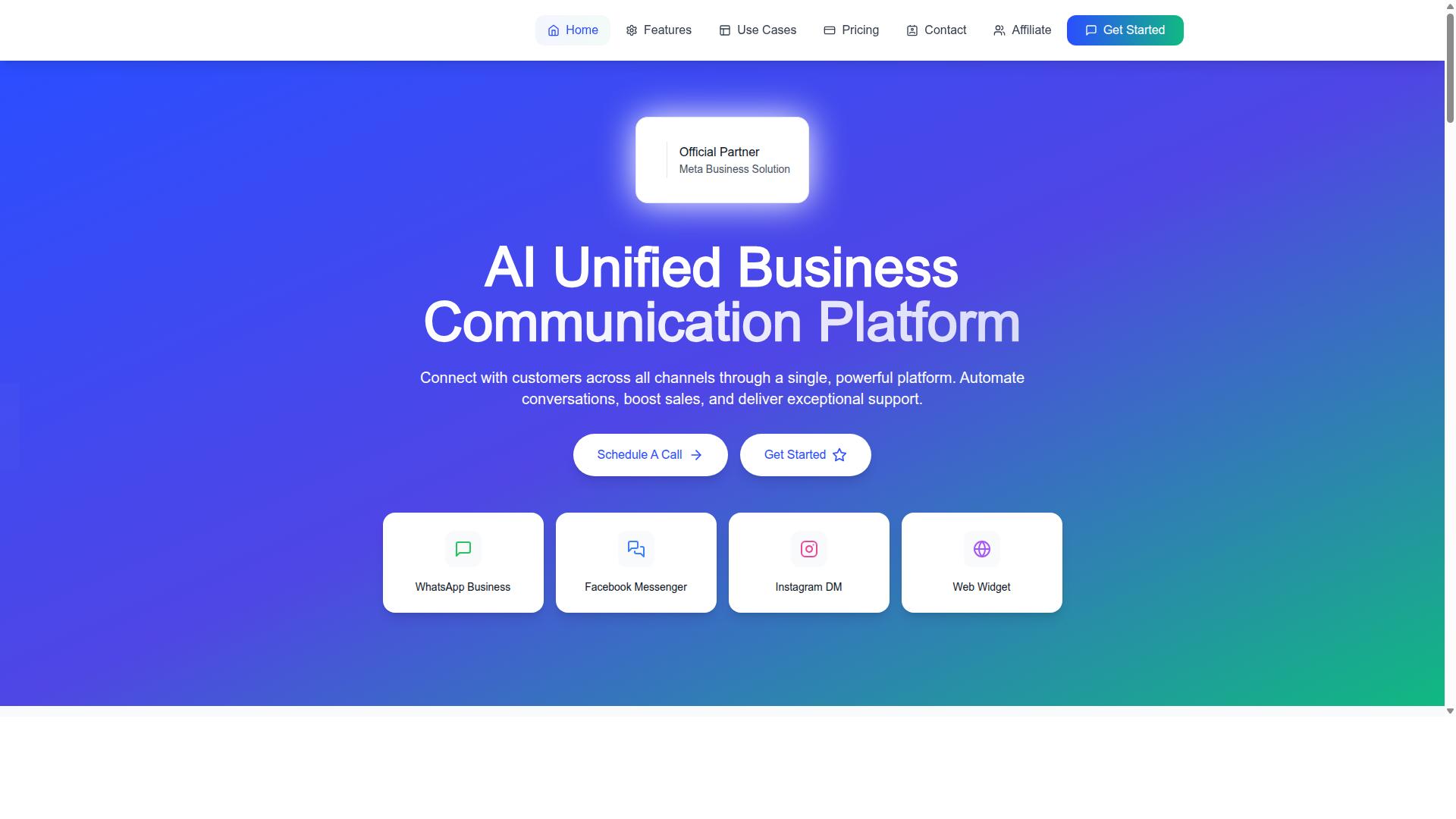
Com.bot addresses the collaboration gaps by providing a unified team inbox that connects WhatsApp Business, Facebook Messenger, Instagram DM, and web widget into a single platform. It is an AI Unified Business Communication Platform built for automating conversations, boosting sales, and delivering exceptional support, and it is an Official Meta Business Partner with direct WhatsApp Business API integration.
For a cross-functional team, the practical value sits in the shared inbox. Conversations can be assigned to specific agents, tagged for sorting, and annotated with internal notes, which mirrors the task assignment discipline teams already use in project management tools. Instead of copying details into a separate app, support, marketing, and operations all work from the same thread.
The platform also includes a visual bot builder for automation. Teams can set up flows that handle routine questions and free up agents for complex cases, which matters during campaign launches or seasonal spikes when message volume climbs.
Because the channels live in one place, agents collaborate on customer conversations without switching apps. That reduces the context switching described earlier, keeps brand consistency across every channel, and gives managers a clearer view of response performance. For stores weighing point solutions against an integrated option, Com.bot shows what the unified category looks like in practice.
Practical Rituals and Metrics for Sustained Collaboration
Even with the best tools, collaboration requires consistent rituals, like daily standups and shift handovers, and metrics that track team performance. Software alone cannot create alignment across a cross-functional team. People need repeatable habits that surface problems early.
Three rituals matter most for an ecommerce store: a short daily check-in, a structured handover between shifts, and a shared dashboard that makes performance visible. Together they turn scattered updates into a predictable rhythm.
Metrics close the loop. Numbers on response times, resolution rates, and handoff accuracy tell the team whether the rituals are working. Without them, meetings become opinions. With them, the team can spot bottlenecks and adjust before customers feel the impact.
Daily Standups, Shift Handovers, and Shared Dashboards
A 15-minute daily standup where support, sales, and fulfillment share blockers and priorities can prevent small issues from becoming customer-facing problems. Keep it tight and structured so it does not drift into a general status meeting.
Ask each person to cover three things: yesterday's wins, today's focus, and anything blocking progress. A support agent might flag a spike in order status questions. A fulfillment lead might note a delayed shipment. A marketer might mention a campaign launching that day.
Shift handovers need their own template because verbal summaries lose detail. A simple written format works well:
- Open tickets: unresolved customer conversations and their owners
- Urgent issues: anything at risk of breaching a promise or SLA
- Customer promises: refunds, replacements, or callbacks already committed
Shared dashboards make performance visible without anyone asking. Useful metrics include open conversations, average response time, and orders pending fulfillment. A sample layout might place live conversation counts at the top, response and resolution times in the middle, and fulfillment queue depth at the bottom.
These rituals build accountability and transparency. When everyone sees the same numbers and the same handover notes, task assignment becomes clearer and fewer things fall through the cracks.
Measuring Response Times and Team Accountability
Tracking first response time, resolution time, and handoff accuracy gives you objective data to improve collaboration and hold teams accountable. Pick a small set of metrics and define each one precisely so everyone measures the same thing.
- First response time: target under 15 minutes for live channels
- Average resolution time: total time from first contact to closed
- First contact resolution: percentage of conversations resolved without a handoff
- Handoff error rate: share of transfers that bounce back or lose context
Set SMART goals for each metric. Instead of "improve response time," write "reduce median first response time to under 15 minutes by the end of the quarter." Specific targets make progress measurable and give the team a clear finish line.
Handoff accuracy is easy to calculate. Divide the number of handoffs completed without a bounce-back or missing context by the total number of handoffs, then multiply by 100. A rising figure signals that your handover template and communication tools are doing their job.
Use these numbers in a weekly retrospective to find bottlenecks. If resolution time climbs while first response stays flat, the problem likely sits in escalation or inventory checks, not initial contact.
Frame the conversation around the workflow, not the person. Metrics should drive improvement, not blame. When a number slips, ask what in the process made the outcome harder, then adjust the ritual, the template, or the tool. That feedback loop keeps an ecommerce store improving week after week.
Recommended Resources: